ServiceHub247: Know Which Pages Need Ad Spend
Anyone who has paid for ads on a language learning site knows the uneasy question that follows the invoice: did that spend buy visitors we could have won for free? An IELTS prep site might run paid campaigns for "IELTS writing tips" while an article on the same topic already sits near the top of Google. Or it might ignore a page that has quietly slipped from position 6 to position 19. Both mistakes cost money, and both come from the same gap, which is not knowing where your pages actually rank. This overview looks at an automated keyword position tracker called ServiceHub247, based on what its public pages say as read on 13 November 2026.
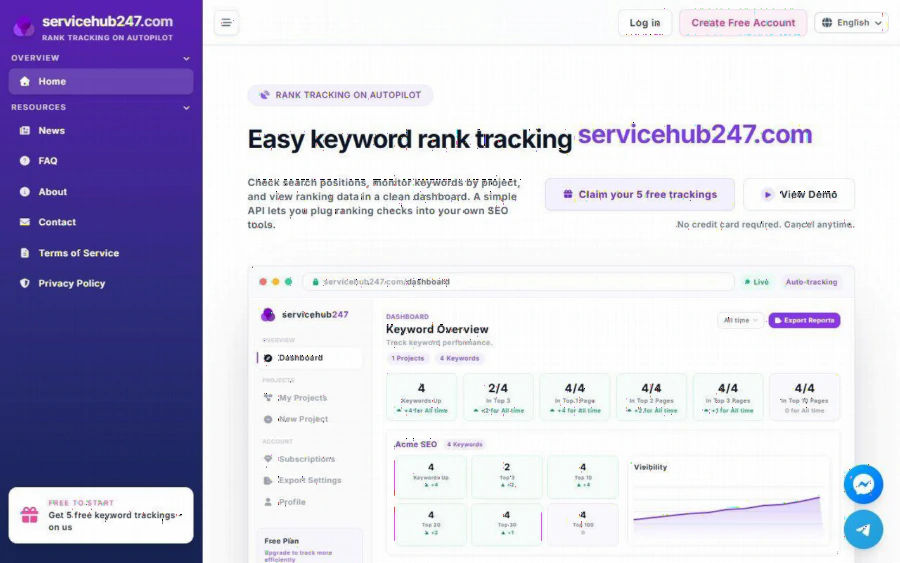
ServiceHub247 homepage with the headline Easy keyword rank tracking, a free trackings button and a sample keyword dashboard
What ServiceHub247 is
The homepage calls it "Rank tracking on autopilot." In plain terms, you add a project (a website address), list the keywords you care about, pick a region, and the service checks where your pages appear in search results and records the changes. A simple API is also offered, so people who already run their own SEO tools can pull ranking checks into them.
It is a narrow tool by design. It does not write content, build links or manage ad campaigns. It answers one question, which is where each keyword sits today and how that has moved. For a small team, a narrow tool is often easier to keep using than a large suite whose menus nobody opens twice.
What the dashboard shows
The sample dashboard on the homepage gives a good picture of the reporting. At the top are six cards: Keywords Up, Top 3, Top 10, Top 20, Top 30 and Top 100. Below them sits a visibility chart per project, and a keyword table that, according to the site, lists start rank, current rank, one day, seven day, 30 day and lifetime changes, a status, and the ranking URL.
A few other features are listed on the public pages: a ranking history log, a position trend chart, domain metrics such as DR, DA and Trust Flow, rank alerts, exportable reports and tracking of specific URLs. The help section also mentions a daily ranking digest.
One caution: the dashboard on the homepage is a demo. Its project is called "Acme SEO" with four keywords, and the figures are sample data, not live customer results. Treat it as a picture of the layout, not as proof of performance.
Why this matters to an advertising team
Here is the angle most rank trackers do not spell out: rankings are an input to ad decisions. A simple, illustrative example (not a real client) shows how.
Imagine an IELTS site tracks 30 keywords. Eight of them sit in the top three results already. The team may decide those queries do not need paid support, and move that budget to the ten keywords stuck between positions 11 and 30, where a small organic push or a targeted ad could change the outcome. Without rank data, the same team would likely bid on everything or guess.
The reverse also holds. If a page drops out of the top 20 after a site change, an alert or a weekly check catches it early, before a month of lost clicks shows up in analytics. The point is not that tracking replaces advertising. It gives the advertising budget something concrete to lean on.
Pricing and plans
The pricing section lists these plans, as shown on the homepage on the date above:
- Free: 5 keywords, weekly updates, $0 with no credit card needed.
- Lite Weekly: 30 keywords, weekly updates, $5.90 a month.
- Standard Weekly: 50 keywords, weekly updates, $7.90 a month.
- Lite Daily: 30 keywords, daily updates, $21.90 a month.
- Standard Daily: 50 keywords, daily updates, $29.90 a month.
- Enterprise: unlimited keywords with a custom quote.
All paid plans list unlimited domains, rank alerts, exported reports, API access and priority support. Paid plans renew automatically through Stripe and can be cancelled at any time, according to the site. Prices and limits can change, so check the page before you plan around them.
The honest reading is that weekly plans are cheap and daily plans cost roughly three to four times as much for the same number of keywords. If your keywords move slowly, as most evergreen exam preparation topics do, weekly checks are probably enough. Daily checks make more sense when you are running a short campaign, launching a page, or watching a competitive term.
Who it suits, and who should look elsewhere
ServiceHub247 looks like a good fit for:
- Owners of small and mid sized content sites, such as tutoring, course and exam preparation blogs, who want rankings without a bundle of features they will not use.
- Freelancers and small agencies who need a low monthly cost per client and an export to send in a report.
- Advertising staff who want a quick check on whether a page already ranks before they decide to pay for traffic.
It is probably not the right pick if you need to track thousands of keywords on a fixed price, want a full SEO suite with site audits and backlink research in the same screen, or require a published independent audit of data accuracy. The About page says rankings come from live search results and claims 25 million keyword rankings tracked, over 2,500 users and a 99.5 percent uptime SLA. Those are the company's own statements, and I could not verify them independently. A sensible habit is to test the free plan against a handful of keywords you already know well and compare what it reports with what you see yourself.
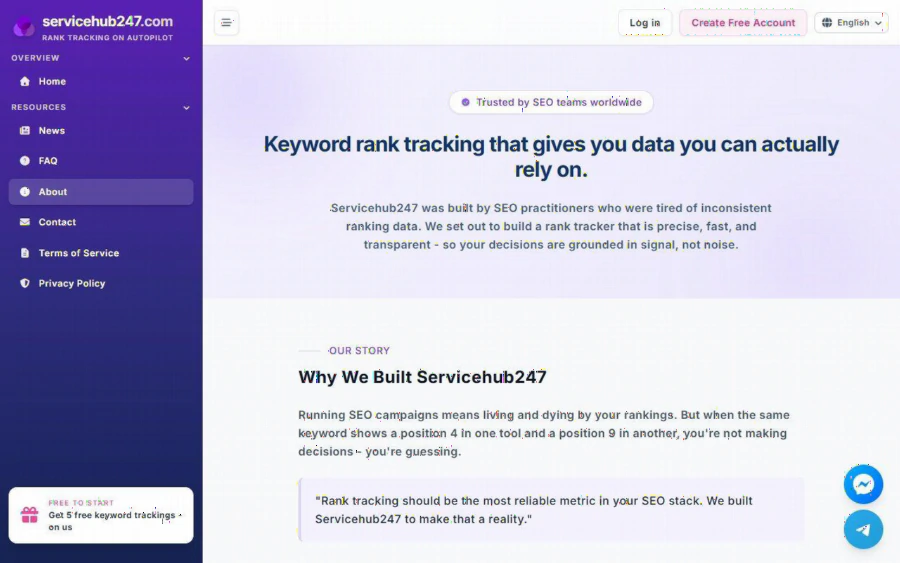
ServiceHub247 About page explaining why the rank tracker was built and promising data you can rely on
How to get started in ten minutes
1. Open the registration page and create a free account. The site states that the free plan needs no credit card.
2. Add one project using your main site address and choose the region that matches your audience.
3. Enter your five most important keywords. Pick a mix: one you think you rank for, two you hope to, and two you are paying for in ads.
4. Wait for the first weekly check, then read the cards and the keyword table together.
5. Decide one action. For example, pause paid spend on a keyword that is already in the top three, or improve a page stuck at position 12.
6. After a month, look at the change columns before deciding whether the paid daily plan is worth it.
The FAQ and news sections on the site cover common ranking questions, which helps if you are new to reading position data.
The bottom line
ServiceHub247 does one job: it tells you where your keywords rank and how they move, with a free plan small enough to test without risk and weekly plans priced low enough for a lean team. Its limits are clear too, with a keyword cap on every plan other than Enterprise, sample data in the public demo, and vendor claims that should be tested rather than trusted. For an advertising or content team that wants to spend paid budget where organic rankings are weak, a short trial is a reasonable, low cost way to find out whether rank data changes your choices.